LinkedIn Prospecting Without the Slop: How Michael of First Touch Books Meetings With Digital Eye Contact
Michael learned LinkedIn prospecting as a college junior with a hard seltzer company and no contacts. Now he runs First Touch, where he says over 90% of meetings start with engagement on a post. Here is his method, from comments to tagging to the rate limits.
LinkedIn prospecting is finding and starting conversations with potential buyers on LinkedIn, and in Michael's method it starts with visible, human engagement on their posts before any connection request or message is sent.
Michael was a junior in college when he started a hard seltzer company. He knew nothing about the alcohol business, or about business at all. So he opened LinkedIn, found people in supply chain at Miller Coors and at distributors and manufacturers, and asked them for advice. “Like 10% of these people actually write back to me,” he said.
LinkedIn, he says, is “kind of the through line of my career.” He is now co-founder of First Touch, and when Lindsey Smith and Cameron Conner had him on Becoming Admin for an episode about beating AI slop with real LinkedIn relationships, he walked them through how he does LinkedIn prospecting while AI-written email floods inboxes. He calls the method digital eye contact. By his count, over 90% of First Touch’s meetings started with someone engaging on a post.
How did a hard seltzer company lead to First Touch?
He ended each call by asking, “Is there anyone else that I should chat with?” That network brought him investors, partners and manufacturers, though the seltzer company, which he ran for about four years, did not work out.
He moved to Klaviyo in business development, and the first thing he did was open LinkedIn again. “I want to book meetings on LinkedIn. Like this is what I know how to do.” He spent about four years in sales there, became one of the top sellers and built much of his pipeline on the platform.
Near the end of that stretch came a wave of AI SDR email, “all these like mass outbound fake AI personalized slop.” He and his co-founder Jared, whom he met at Klaviyo, did not think email would hold up. “I could spin up 20 domains tomorrow and send out thousands of emails,” he said. LinkedIn is different “cuz it’s gated and rate limited.” You have to be connected to send a DM, and he puts the connection limit at 20 to 25 a day.
Google has made the high-volume email route harder, too. Since February 2024, Gmail requires anyone sending about 5,000 messages a day to its users to authenticate their mail and offer easy unsubscribes, and senders whose spam complaint rate passes 0.3% lose eligibility for help (Gmail sender guidelines FAQ).
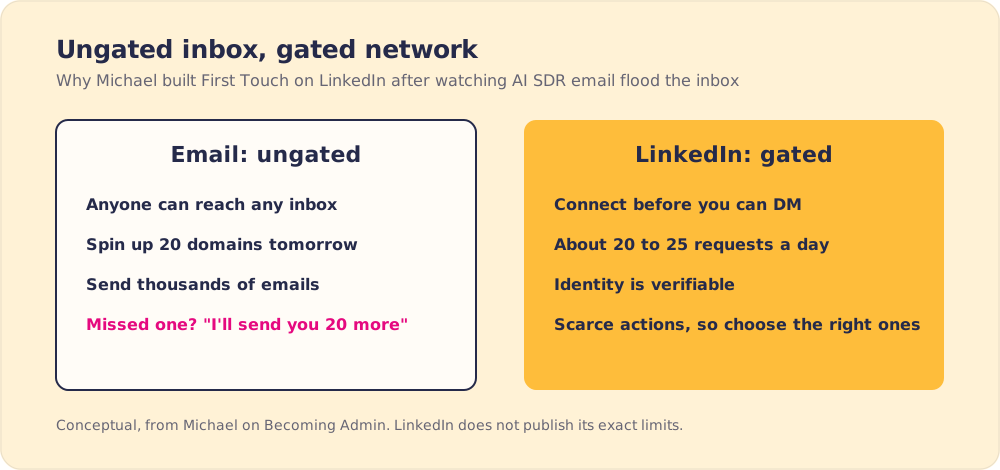
He and Jared built First Touch for the gated channel. It “helps companies operationalize social, which means turning it into a go-to-market channel,” Michael said. Teams can approve actions or automate them, and the activity is tracked the way email is, through to meetings, pipeline and revenue.
Can you win at LinkedIn prospecting without posting?
One of the hosts asked whether social can work if you never create content. Michael gets that one a lot. For a sales rep who finds posting “cringe,” his answer is one-to-one awareness in the comments. Find the people in your market, engage with what they post, and comment “not using AI.”
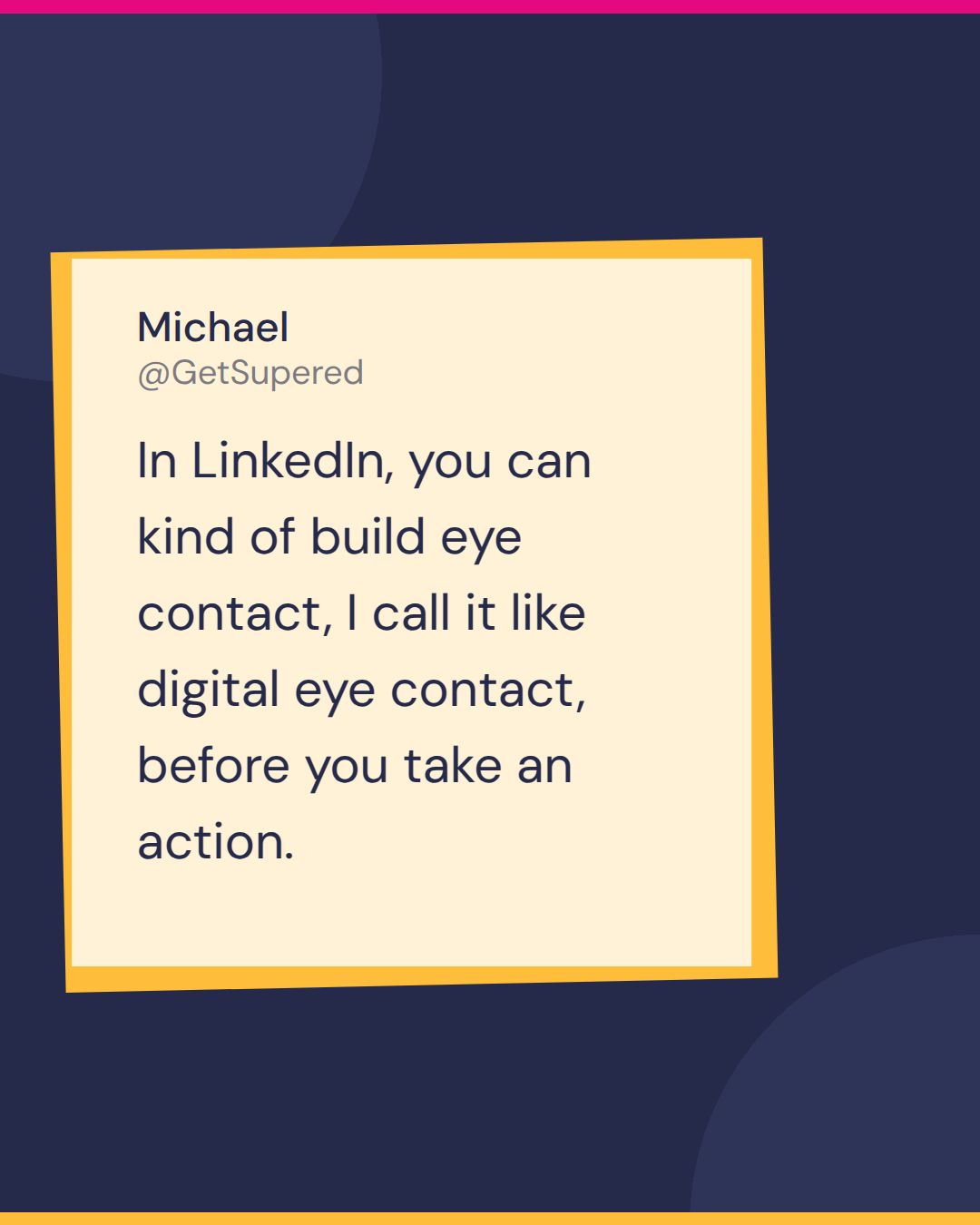
Email cannot do this. “I could just send you an email, hopefully you saw it, if you didn’t see it, then I’ll send you 20 more,” he said. On LinkedIn, “you can kind of build eye contact, I call it like digital eye contact, before you take an action, before you ask a question, before you reach out, or before you even request a connection.” Executives, he added, should post as well as comment.
In 1968 the psychologist Robert Zajonc showed that people rate a name, face or word more favorably the more often they have been exposed to it, even with no other information (Zajonc, 1968). Michael is counting on that effect when his name shows up under a prospect’s posts before his connection request does.
Michael tested it on himself, commenting and posting every day starting January 1. “I can confirm that it works,” he said. First Touch now has over 150 companies and almost 1,000 users on the platform.
Will LinkedIn automation get you flagged?
A host raised a common worry: LinkedIn sometimes cracks down on tools, so will using one get your account restricted?
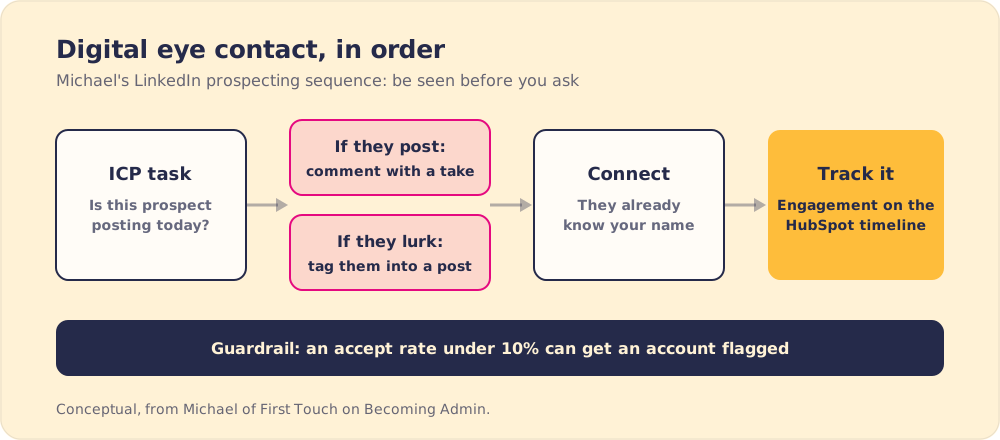
He started with the limits. They are “kind of a gray area soft limit,” and LinkedIn does not publish them. What he watches is the accept rate and the reply rate. “If you’re sending hundreds of connections into the void and no one’s accept accepting them, like you have less than a 10% accept rate, um you can start to get flagged.” A good accept rate comes from asking the right people after you have warmed them up.
LinkedIn’s own rule is strict. Its help center says it does not permit third-party software or browser extensions that scrape or automate activity on the site (LinkedIn Help: prohibited software and extensions). Michael built First Touch with that rule in view. It keeps a human in the loop, so a rep can “do everything one click at a time, and approve everything before it goes out,” and its actions come from the company’s own data. “When someone books a meeting with me, my agent automatically connects me with them,” he said.
One host who uses First Touch described the difference from other LinkedIn add-ons: “It does still feel like me behind the wheel.”
Why run LinkedIn prospecting from inside HubSpot?
Michael thinks most LinkedIn tools are cut off from what the business already knows. With 20 to 25 actions a day, “you have to take the right 20 uh the right 20 actions every day,” and the right ones come from inside the company. So First Touch lives in the HubSpot workflow builder, where a form submission, a content download, an intent score or any other event can trigger a connection request, a DM or a profile view.
The same actions can now be set up from the terminal by people building HubSpot workflows with Claude Code. “The CRM is is kind of where all of your core data lives,” he said.
For a RevOps lead, the trigger list is where to start. Write down the three or four CRM events that mean a person is worth a human touch this week, and tie LinkedIn actions to those instead of to a purchased list. Our sales prospecting guide covers the wider prospecting motion those signals feed.
What should humans do when AI handles the rest?
Michael thinks the AI conversation skips a question. “What should the human actually do?” His answer is the public work. Write your own posts (“you should be the one thinking of the ideas. You should be the one writing them”), and spend time in the comments.
Then he gave the number. “Over 90% of our meetings have come from engagement on our posts,” meaning the first touch was someone engaging with a post from Michael or a teammate. First Touch runs no ads. “It’s a zero-dollar customer acquisition cost.”
He also rejected the idea that buyers are not on LinkedIn. One First Touch customer sells to general managers at car dealerships, a group few would call chronically online. It worked, Michael said, because those managers check LinkedIn for recruiting messages. He put LinkedIn’s monthly active users at about 350 million, and LinkedIn says it has more than 1 billion members in over 200 countries and territories (About LinkedIn).
What is Michael’s LinkedIn prospecting sequence, step by step?
Michael’s sequence, in order:
- An ICP list with daily tasks. First Touch creates tasks to check whether target accounts are posting, and a rep comments only where the post gives them something to say. “I’m going to use my judgment and I’m going to use my brain,” Michael said.
- Comments with a point of view. A comment can be as short as “this is awesome,” or it can add to the take. What it cannot be is a summary. “My biggest pet peeve is when I see AI comments that literally just summarize the post.”
- Tags for people who never post. Plenty of prospects never post, so tag them into a post they would find useful, like a post from HubSpot co-founder Dharmesh Shah about HubSpot updates for a RevOps lead. Lurkers “don’t get a lot of notifications,” so a mention without a pitch stands out.
- A connection request after the warm-up. By the time you click connect, the prospect has seen your name.
- A tracked result. First Touch records each like, comment and connection to the HubSpot contact timeline, which is how Michael knows the 90% figure.
Cameron Conner pushed on tone. He sometimes disagrees in the comments (“Actually, I don’t think this is accurate because XYZ reasons”) and asked whether that is wise. Michael has done it too. “It’s all about how you do it,” he said, and the test is whether you are “poo-pooing someone’s point” or adding a different opinion. One of the hosts brought up Clark Barron, whose spicy comments match how he talks in person. “I think it’s disingenuous if you’re um just putting on a mask on the socials.”
How should you use AI in LinkedIn prospecting?
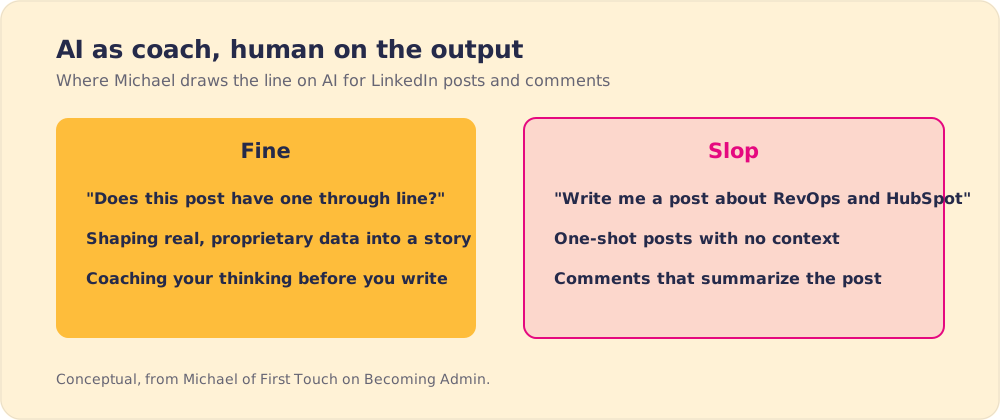
Asked about AI-written content, Michael drew a fine line. Using AI to shape a story around real proprietary data is fine. “Write me a post about RevOps and HubSpot” with no context is slop. “Did you even read this?”
His own use is coaching. He tends to cram five points into one post, so one of his most common prompts is, “Does this post have one through line?” Then he rewrites around the answer. “I like to use it as a coach and to help me kind of formulate my thoughts, but I don’t like using it on the output.” He holds comments to the same bar: “comments are almost like micro posts.”
Michael’s LinkedIn prospecting lessons
- A gated channel. Connection rules, daily limits and verified identity keep volume down, so the messages that get through come from real people.
- Digital eye contact before the ask. Comments and tags warm a prospect up before any request.
- An accept rate worth protecting. Under 10% can trigger LinkedIn’s warnings, so ask fewer, better people.
- Triggers from the CRM. The right 20 to 25 daily actions come from events the business already tracks in HubSpot.
- Human output, AI coaching. Michael writes his own posts and asks AI whether they have one through line.
What should a sales team do with this?
If your reps are on LinkedIn and your email replies are falling, I would copy Michael’s order of social selling before buying any tool. Give each rep a short ICP list, a daily block for comments and tags, and a rule that the connection request comes after the warm-up. Track where meetings start, as First Touch does. Our pieces on the sales prospecting process, on building a sales cadence around these touches, and on why an AI SDR struggles to replace this work go deeper.
The harder part is getting a whole team to run the same sequence the same way. Supered puts the process in front of each rep inside HubSpot while they work, so the fifth rep warms up prospects the way your best one does.
Frequently asked questions
What is LinkedIn prospecting?+
Can you prospect on LinkedIn without posting content?+
Will LinkedIn automation get my account flagged?+
How many LinkedIn connection requests can you send per day?+
Should you use AI to write LinkedIn comments and posts?+
Your process, running itself.
Turn the playbook into rep behavior.
More from Becoming Admin

LinkedIn Content Strategy From the Mayor of Inbound: Rob Jones on AI and Real Content
Rob Jones
RevOps Specialist the Long Way Around: Travis on Degrees, Mastery and Knowing Your Lane
Travis