HubSpot Workflow Best Practices: Why Ryan Gunn Won't Let AI Build His Workflows
Should you connect Claude to HubSpot and let it build your workflows? On Becoming Admin, Ryan Gunn, head of RevOps at First Touch, said he does not even let AI draft one. The case he made, where the hosts pushed, and the workflow habits that came out of it.
HubSpot workflow best practices are the habits that keep HubSpot automation accurate and maintainable, and Ryan Gunn's version is to build workflows by hand, use AI to analyze data, verify AI output on small tests first and limit AI-written text to one sentence.
Ryan Gunn found HubSpot by accident. His first job out of school was at a Silver partner agency, and he took it because he needed a job. “I didn’t know anything about HubSpot,” he said. He fell in love with the tool anyway, worked in it at job after job for more than a decade, and slowly moved from marketing content toward automation and “getting into the technical weeds.”
Today he runs RevOps at First Touch, teaches a HubSpot Academy bootcamp, moderates the r/hubspot subreddit, and founded HubSessed, where he makes HubSpot training that picks up where HubSpot Academy leaves off. When Lindsey Smith and Cameron Conner had him on Becoming Admin, one of them called him the workflow king, and their first question was whether you should connect Claude to HubSpot and let it build your workflows. His answer, and the habits behind it, make a practical set of HubSpot workflow best practices for any team deciding how much of the builder to hand to AI.
How did Ryan Gunn become the workflow king?
The posting started with a project. Ryan was doing a big lead routing overhaul at a company he worked for, and he began sharing it on LinkedIn: here is what I am working on today, here is how it worked, here is how it broke. At the time, he said, very few people in the HubSpot space posted like that. “It was like me, Max Cohen, and Kyle Jepson and that was kind of it.”
It took off. He noticed it most at his first Inbound after he started posting, when strangers kept coming up to him. He told a friend in Boston about it over dinner, and she did not believe him. Then someone walked over from another table. “I’m sorry, are you Ryan Gunn?” His friend sat there, jaw on the table.
He still does not take it too seriously. He follows LinkedIn Lunatics on Reddit, and he told the hosts to go ahead and roast him in the comments. “I’ll think it’s funny.”
Should you let AI build your HubSpot workflows?
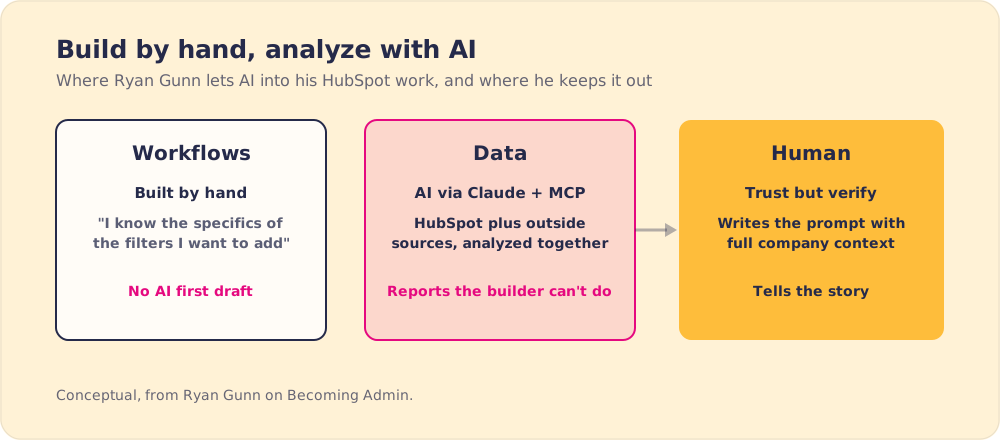
Ryan uses AI with HubSpot every day, for a different job. “The use of Claude to build things is less exciting to me than the use of Claude to analyze data,” he said. “I’m a builder, so I like to get in there in the weeds and build a workflow.”
Then he went further than the question asked. “When I jump into that, I know exactly what I want to do. I know the specifics of the filters I want to add. Um so, like I don’t even let AI do a first draft of a workflow.”
He made the case for the other side himself. AI building “would be very beneficial for somebody who is you know, has not spent 10 years uh in seeing the workflow builder evolve and knows all the ins and outs.” A builder who already knows the filters gains little from checking a machine’s draft of them.
A 2025 randomized study from METR tested the same trade with software developers. Sixteen experienced open-source developers worked 246 real tasks with and without AI tools. With AI they took 19% longer, and afterward they still believed AI had sped them up by 20% (METR, 2025). Those were experts on code they knew well, the same position Ryan is in with the workflow builder.
What is AI in HubSpot good for, then?
Ryan uses the MCP connector with Claude to “pull data from HubSpot, pull data from other external sources uh all into Claude and then analyze it all together.” He gets reporting “very quickly and on the fly and in a way that you can’t always do inside HubSpot’s native report builder,” because of limits on what integrations sync over.
HubSpot built its own connector for the same kind of work. The HubSpot connector for Claude went live on July 29, 2025. It lets users ask questions of CRM data in plain language, has read-only access to standard records like contacts, companies, deals and tickets, and shows each user only the data their HubSpot permissions allow (HubSpot developer changelog).
Where do humans fit when AI is in the portal?
The hosts asked where the human stays in the loop. “We fit very firmly in the model,” Ryan said. At the very least, someone has to write the prompt, and a good prompt needs “the full context of the company.”
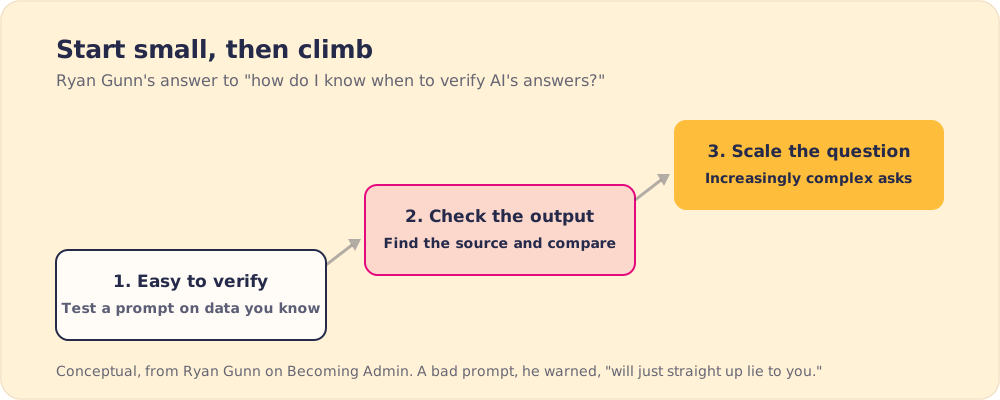
Without that context, “you can get really bad insights from AI if you are not good at asking prompts. Like it will just straight up lie to you.” So he takes a “trust but verify” approach to AI reports.
He sees a second human job after the numbers come back. Marketing teams are forever trying to prove they are “not a cost center, they’re a revenue driver,” and a table of attribution data will not move a boss who does not see the daily work. “AI is really good at giving you the data and formatting it in a way that you can leverage it for storytelling, but ultimately I think a human is better at telling that story.”
How do you know when to verify AI’s answers?
One host pushed on the weak spot in “trust but verify.” Sometimes AI hallucinates and sometimes it does not. “If you don’t know when to check against that, then I feel like we just end up blindly trusting the data that we’re given back.”
Ryan’s answer was a method. “Start small, test it, you know, test a prompt style or format with something that you know, that is easy to verify, uh and see what it does with it.” If the output checks out, “then scale it up from there. Ask it to do increasingly complex things.” Along the way, he said, you learn how to talk to the AI so it tells you accurate data.
Does AI personalization beat a simple template?
The hosts asked for the craziest AI use he had seen promoted. Ryan told them about an AI SDR email a partner forwarded. Someone had set the tool to compliment each prospect’s profile photo, and the subject line read something like “You’re a bald man with beautiful eyes and I can’t wait to work with you.”
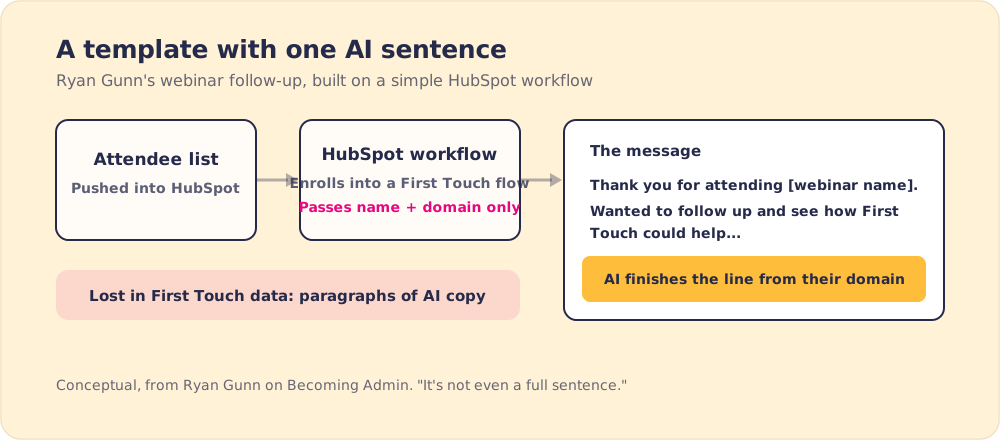
Then he turned to First Touch’s numbers, drawn from hundreds of customers sending messages and connection requests. Fully AI-written messages, “maybe even paragraphs long,” did poorly. So did what Ryan calls “token maxing,” stuffing a message with personalization. “It’s still not as effective as like very simple templated messaging where instead of having AI write the entire thing, you’re maybe having it just complete a sentence.”
He walked through a workflow he uses himself. After a webinar, First Touch pushes the attendee list into HubSpot, and a workflow enrolls attendees into a First Touch flow. It passes only the company name and domain. The message thanks them for attending, drops in the webinar name and asks how First Touch could help. AI reads the company’s domain and writes the ending, about the prospect’s customers and goals. “It’s not even a full sentence,” Ryan said, “but it does a good job, you know, personalizing it enough that people aren’t like, ‘Oh, this is a copy paste.’”
Does social selling work for companies whose buyers never post?
One host had been arguing with peers about whether a company that only cold calls or buys ads needs social selling at all. Ryan said “it comes down to where your audience is,” and an inactive profile can mislead you. A First Touch customer sold to car dealerships. Dealership salespeople barely post, but they were on LinkedIn constantly, because they switch dealerships often and keep watching for a better offer.
Ryan gave two reasons LinkedIn holds up against AI spam better than email. Identities are verified, and messaging is rate limited, so “the amount of spam that you can send through LinkedIn is inherently limited.” In email, he said, you are “archiving 75% of your email before you even open it.”
For someone starting from nothing, he said to start with comments. In First Touch’s data, commenting on a post before sending a connection request doubles the chance it is accepted, and commenting before a message makes a reply four times as likely. He also cited Richard van der Blom’s LinkedIn algorithm report, which he recalled as saying three comments on one person’s posts within a week raise the chance you see each other’s content by about 15% to 25% (Richard van der Blom, Algorithm Insights Report 2025). If you have nothing insightful to add, “just be funny.”
Ryan Gunn’s HubSpot workflow best practices
- Workflows built by someone who knows the builder. Ryan does not let AI draft them. He grants that AI helps newer builders, and someone who knows the filters should still review what it makes.
- AI pointed at data. Claude with HubSpot combines CRM and outside data for analysis, and the results get checked before anyone shares them.
- Small, checkable tests first. Prove a prompt on data you can verify, then ask the harder question.
- Few properties in the trigger. His webinar workflow passes only company name and domain.
- One AI sentence inside a template. Fully AI-written messages lost to templates in First Touch’s data.
- Human approval on AI-written sends. First Touch is, in Ryan’s words, a huge proponent of human in the loop: a person reads and approves an AI-written message before it goes out.
- Simple workflows. In the rapid-fire round, asked whether custom objects or simple workflows are more satisfying to build, Ryan picked simple workflows.
When you inherit or hand off workflows like these, our guides to HubSpot workflow dependencies and workflow documentation cover how to map what triggers what before anyone changes it.
So should AI build your HubSpot workflows?
The hosts opened by describing AI as the all-knowing overlord LinkedIn promises. Ryan, after a decade in the builder, put it on the analysis side, with one exception he named himself: people newer to the builder may get real help from an AI draft. METR’s developers show what an expert can lose by taking the draft anyway, and HubSpot’s read-only connector is built for the job Ryan gives AI.
I would take his advice as written. Let the person who knows the builder build, point AI at the data, and keep AI’s words inside a template a human approved. Our AI SDR piece makes the same argument about outbound, where the process around the AI decides what the buyer receives.
Supered works on that process side. It guides reps and admins through your process inside HubSpot while they work, so the workflows you built by hand and the people using them stay in step.
Frequently asked questions
What are HubSpot workflow best practices?+
Should you let AI build HubSpot workflows?+
How do you know when to trust AI output from HubSpot data?+
Does AI-personalized outreach work better than templates?+
Can Claude connect to HubSpot?+
Your process, running itself.
Turn the playbook into rep behavior.
More from Becoming Admin

Agency vs Freelancer: Erik Hooijer's Case for the HubSpot Collective in Between
Erik Hooijer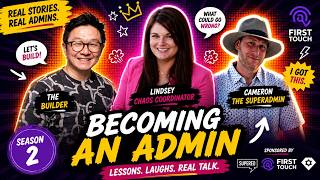
CRM Change Management From the HubSpot Kitchen: Kasey Chan's Menu for Admins
Kasey Chan