CRM Change Management From the HubSpot Kitchen: Kasey Chan's Menu for Admins
Kasey Chan calls himself a CRM chef. On Becoming Admin he explained how he rolls out HubSpot changes like a menu, audits a portal against what its users expect, and why admins who skip AI will fall behind.
CRM change management is the work of introducing new CRM features, processes and data rules so the people who use the system understand them, adopt them and keep using them after launch.
Kasey Chan explains HubSpot with food. “Everyone eats,” he told Cameron Conner, and “different people eat differently.” When he opens HubSpot it looks to him like a big candy shop, or “a massive co-op supermarket, you know, there’s so many goodies, so many updates.”
Kasey founded Growth Kitty, sits on HubSpot’s Customer Advisory Board, and has built CRM systems from scratch for companies in London, Hong Kong and beyond. Cameron and Lindsey Smith brought him onto Becoming Admin and asked every question in kitchen terms. His answers add up to a working method for CRM change management: offer a team one change at a time, sized to what it can handle, and earn trust with a fix before asking for more.
Why does Kasey Chan treat HubSpot updates like a menu?
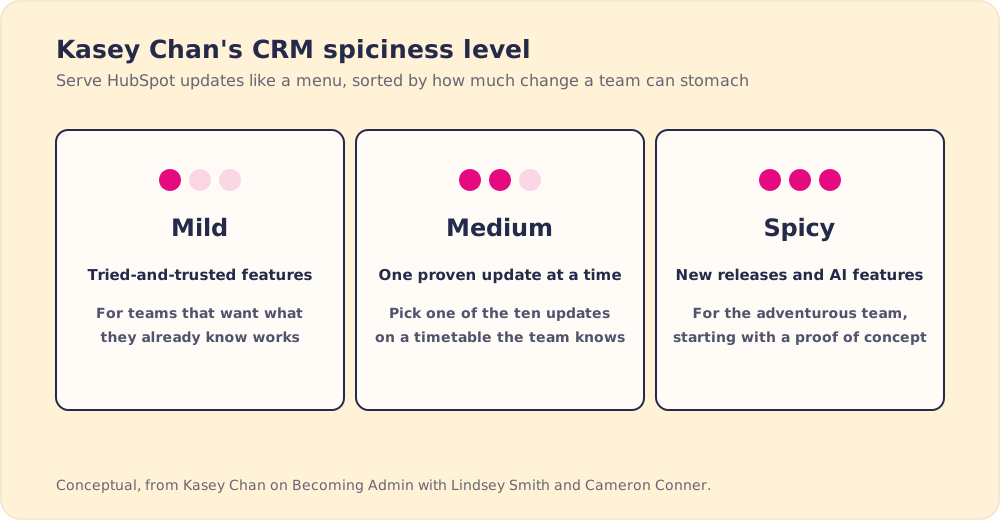
Some users love every new release. Others want only what they have already tried and trust. So when Kasey rolls out changes, he builds a menu for the team to adopt. “I call this a CRM spiciness level,” he said. “Some people like spicy stuff.”
He wants the menu to be understandable first and digestible second, so the team knows what each change does and what outcome to expect. He shows it with pictures, tags or a workflow drawn as a flowchart. Once a team can see what it is ordering, he said, you are halfway there.
Cameron asked which famous chef he would be. Kasey said half Anthony Bourdain, who traveled the world to taste everything, and half a young Jamie Oliver, known for trying different things. Cameron picked Gordon Ramsay on MasterChef Junior, the kind version, because a client’s portal is their livelihood.
Are new HubSpot users getting overwhelmed?
One of the hosts asked whether new users gorge on the candy shop and make themselves sick. Scared, Kasey said, more than sick. A change can look too big for one person or one team to sort out, and HubSpot ships updates every week. Not all of them suit every team.
He described a company admin who announces ten updates for the team to try. The team says forget it. Ask them to try one and you have a chance. “A lot of the times it’s easier for people not to change,” he said. Enterprise clients in particular need a timetable and a clear order of priorities, and he sees planning that as the agency’s job: pick the few changes that matter and say what outcome to expect.
In a Prosci survey of more than 2,600 change practitioners, 88% of projects with excellent change management met or beat their objectives, against 13% of projects with poor change management, about seven times the success rate (Prosci). Our guide to CRM adoption goes deeper on why users stall after launch.
What does CRM change management look like in a new portal?
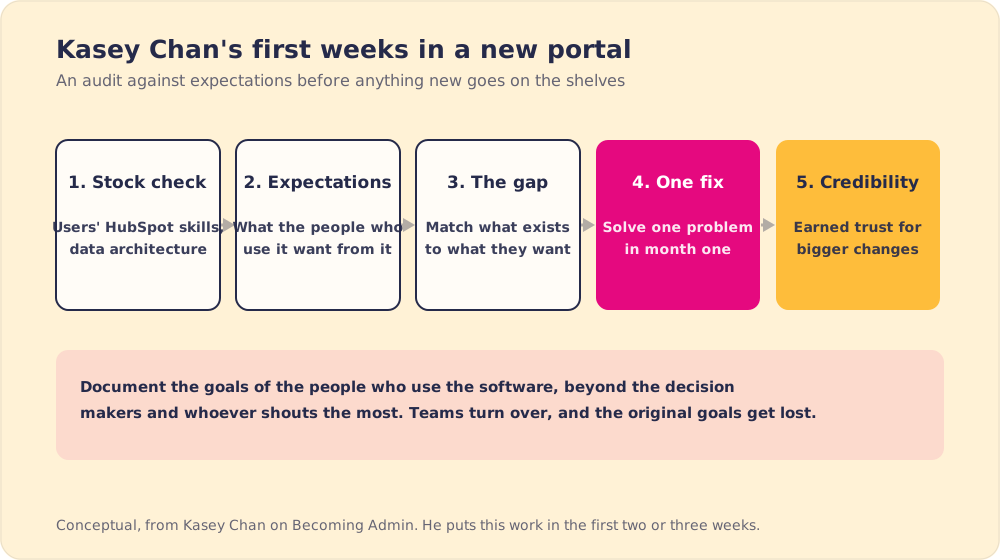
The hosts asked what he stocks first when he walks into an empty portal. Kasey said empty portals are rare. It would be great, he said, to buy a new plot of land, draw your own floor plan, build a spanking new kitchen and watch people queue up, “but a lot of time it doesn’t happen.” More often he inherits a portal with history, workflow problems and users who are not happy. So he starts with a HubSpot portal audit, which he calls an audit versus expectation check, in four steps.
- A stock check. A restaurant counts its pantry and checks its staff’s skills. In a portal, he checks what users know about HubSpot and looks at the whole data architecture.
- An expectations map. He writes down what the people who use the software want from it, asking the users as well as the decision makers and more than whoever shouts the most, because those goals get lost as people leave and move around.
- The gap. He matches what the portal has to what users want. If the two match, “then you can open it like a new restaurant but trust me it never happened like that.”
- One fix in the first month. He picks a problem from the gap that he can solve and deliver. Once one problem is solved in month one, “you have all this credibility” to drive bigger changes.
All of this happens in his first two or three weeks. The audit decides what he recommends. If the gap is sales reps not following the process, for instance, he might recommend software that guides them through it. Our HubSpot onboarding checklist covers the setup side of the same work.
Is Breeze AI a sous chef or an executive chef?
The hosts asked whether HubSpot’s Breeze AI is a crew of sous chefs prepping the kitchen or a crew of executive chefs running it. Kasey called it a stepping stone to learning what AI can do inside HubSpot at a pace a team can handle. Breeze comes off the shelf and runs on HubSpot credits. He likes how quickly you can build a proof of concept with it, a data agent that enriches records for example, and show it to internal teams before putting more into it.
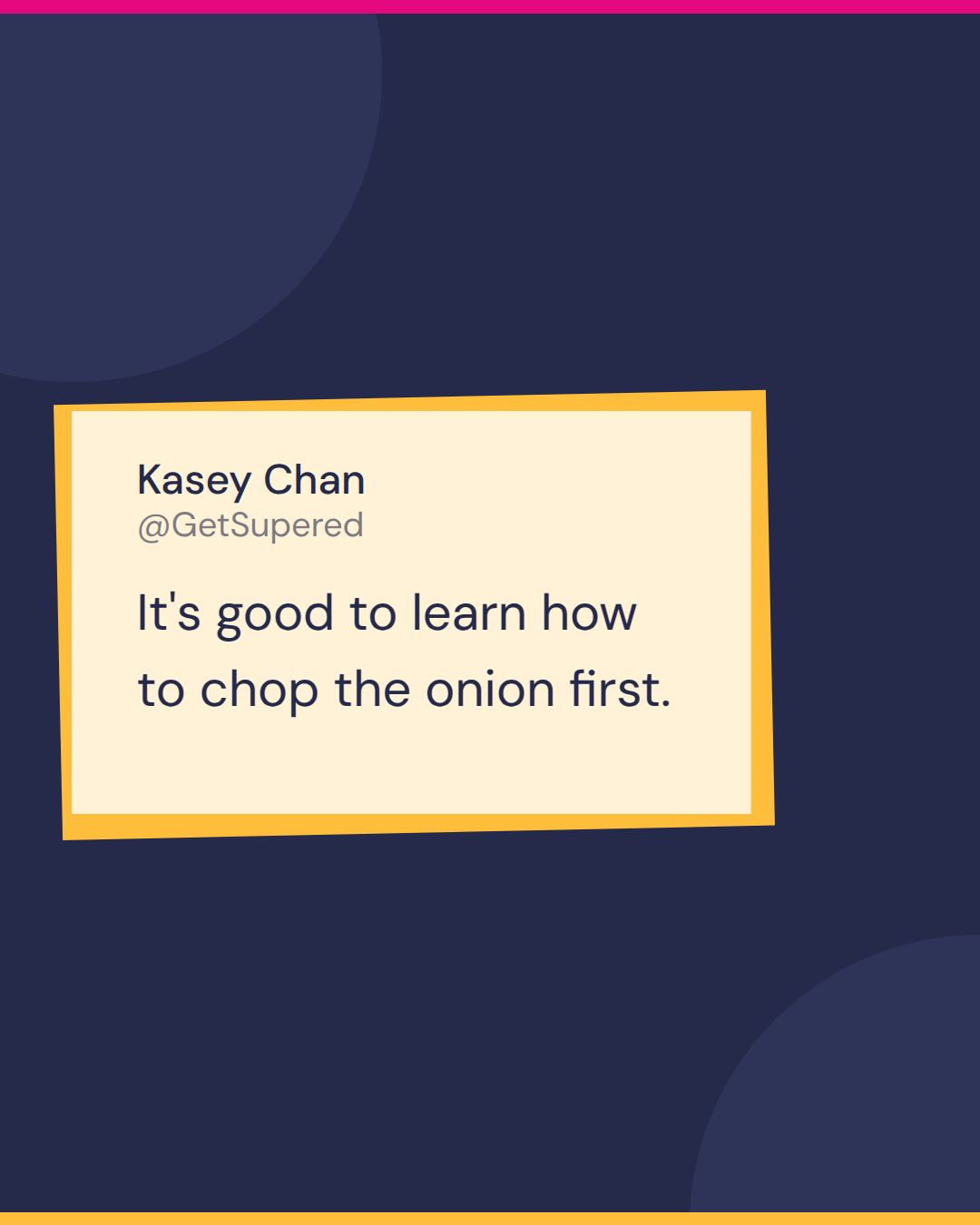
“It’s good to learn how to chop the onion first,” he said. Breeze is where an admin can “get your hands dirty” before cooking anything bigger.
In The State of Sales Enablement 2026, sales leaders rated AI’s impact on their teams at 3.2 out of 5 on average, and among teams with strong process adherence, 40% rated it high, against 21% of teams with weak adherence (The State of Sales Enablement 2026). So run the Breeze proof of concept on a workflow people already follow.
Will Breeze commoditize the HubSpot admin role?
Then came the hard question. If Breeze lets the kitchen prep its own food, what is left on the plate for the admin? Kasey named three things.
- AI skills. “For any HubSpot admin it would be criminal if they don’t learn a little bit about AI,” he said, including connecting HubSpot through MCP to Claude, Copilot or ChatGPT. HubSpot’s remote MCP server lets AI assistants read CRM data and create or edit records such as contacts, deals and custom objects (HubSpot developer docs). He also pointed to a HubSpot announcement, made the day before recording, about putting data at the center of the company’s direction.
- The community. Other admins are the best source for what is new and for how to explain it to a team. He said he had learned something from Cameron and Lindsey on this call.
- Customer conversations. “It’s not rocket science,” he said. Talk to as many customers as you can about the problems they want solved, the way a new restaurant adds the dishes its neighborhood is asking for. In his words, “just chat to your customer.”
Earlier, the hosts had asked what an admin needs on the menu for 2026 as more people move over from Salesforce. Kasey’s first answer was to know the taste of your paying customers and play to your strengths. A restaurant that serves spicy fried chicken, Indian curry and Korean barbecue is not very good at any of them. “We’re not the Cheesecake Factory,” one of the hosts cracked. If the food does not match the menu, diners do not come back or recommend the place. Portal users are the same, he said. People buy solutions, whatever the workflow behind them looks like. For the wider view on AI and enablement, see our AI sales enablement guide.
In the rapid-fire round, Kasey said the first window he opens each morning is YouTube. His magic-wand wish for HubSpot was an adjustable color theme. Asked to pick between a custom object and a custom workflow, he said, “A custom workflow? 100%.”
Kasey Chan’s recipe for CRM change management
- A spiciness level. Sort changes from mild to spicy and let each team order what it can digest.
- One update at a time. Ten announced updates get a no. One has a chance, because for many users not changing is easier.
- An audit against expectations. Check skills and data, write down what the people who use the system want, and find the gap before adding anything.
- A win in month one. One delivered fix earns the credibility for bigger changes.
- Onions before the full menu. Breeze as a stepping stone and a place to build a proof of concept.
- Admins who keep learning. AI and MCP skills, time in the community, and regular conversations with customers.
How should a HubSpot admin run the next rollout?
Take the next change you plan to ship and run Kasey’s steps on it. Check what users know and what the data looks like, write down what the people who use the portal want, and pick the one fix you can deliver this month. Ship it on its own, with a picture of what it does, before announcing anything else.
Then check whether people are still using it a month later. Supered can help with that part: it shows your process inside HubSpot and Salesforce at the moment users need it and shows the admin who is following it, so the second change lands on a team that kept the first one.
Kasey is competing in The Admin Arena games, and he said LinkedIn is the place to find him.
Frequently asked questions
What is CRM change management?+
Why do HubSpot users resist new features?+
How do you audit a HubSpot portal before making changes?+
Is Breeze AI worth using for HubSpot admins?+
Will AI make the HubSpot admin role obsolete?+
Your process, running itself.
Turn the playbook into rep behavior.
More from Becoming Admin

Agency vs Freelancer: Erik Hooijer's Case for the HubSpot Collective in Between
Erik Hooijer
What a CRM Admin Does, According to the First Admin Arena Champion
Crispy Barnett