Knowledge Base Examples: The Patterns Worth Copying
Searching for knowledge base examples to copy? The layout is the easy part. The patterns that make an example get used are what truly transfer.
Knowledge base examples are model knowledge bases worth learning from, and the useful lesson in each is not how it is laid out but what makes people use it, because a layout copied without that reason does not transfer to your team.
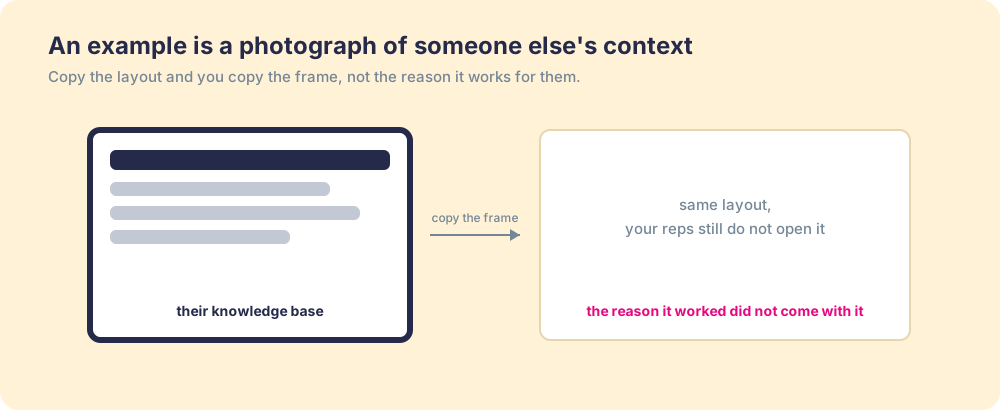
Search for knowledge base examples and you get a gallery: tidy help centers, well-tagged wikis, screenshots of someone else’s clean categories. The implied promise is that if you copy the layout, you get the result. It is a reasonable hope, and it is wrong in a specific, expensive way. An example is a photograph of another team’s context, and the reason their base works did not fit in the frame.
So this is a different kind of list. We will walk the common knowledge base examples, because the shapes are worth knowing, but the useful lesson in each is never the layout. Our position, and the throughline here: the only thing worth copying from a great knowledge base is what makes people use it, and that almost never shows up in the screenshot.
What makes a good knowledge base example?
Use, not looks. A knowledge base that is beautiful and unopened is a failure with good typography, and a plain one that reps reach for every day is the success worth studying. The test is whether the answer changed what someone did, which means the only example worth learning from is one where the base is woven into how the work gets done.
That bar is higher than it sounds, because the default failure is invisible. The McKinsey Global Institute estimated employees spend close to a fifth of the workweek searching and gathering information (McKinsey Global Institute), and Panopto’s workplace study found roughly 5.3 hours a week lost to chasing knowledge a colleague already held (Panopto, Valuing Workplace Knowledge). A base can resemble a model example and still leave those hours on the floor, because looking complete and being used are different achievements.
Take two teams running the same help-center software. The first wired it into the support queue, so the answer surfaces beside the ticket the agent is working; the second left it as a separate site agents are told to check. On a screenshot the two are identical, same categories, same search bar. In the work they are different tools: one deflects tickets, the other collects dust. The same split runs through every category, which is why choosing knowledge base software by the job it does beats choosing by feature count. That difference, not the design, is what a gallery of examples should be teaching you to copy, and it is the one thing a gallery cannot show.
The screenshot hides the only variable that mattered.
Which knowledge base examples are worth copying?
Six shapes show up again and again. Each is worth knowing, and each carries one principle that does transfer, as opposed to the layout, which does not:
- The customer help center. The best ones are organized by the question the user is asking, not the team that wrote the answer. The transferable principle is to structure by the reader’s intent, not your org chart.
- The internal team wiki. A wiki stays useful only as long as its pages are true, which means owners and review dates, not merely edit access. The principle is that trust is a maintenance discipline, not a launch event.
- The sales knowledge base. This one lives or dies on reaching the rep during a live deal, which is why a sales knowledge base has to deliver the answer in the flow rather than wait to be searched. The principle is timing: an answer a tab away goes unused mid-call.
- The IT runbook library. A runbook is found mid-incident or it might as well not exist. The principle is that the answer has to surface in the exact context that triggered the need, not in a folder someone browses on a calm afternoon.
- The onboarding hub. A good one is a path, a sequence that walks a new hire forward, not a pile of links dropped on day one. The principle is curation: order and pacing beat completeness.
- The product and pricing source of truth. When this lives in one owned place, the CRM, the quote tool, and the help center can all trust it; when it lives in five, they drift apart one edit at a time. The principle is single ownership of the facts reps, support, and finance all quote.
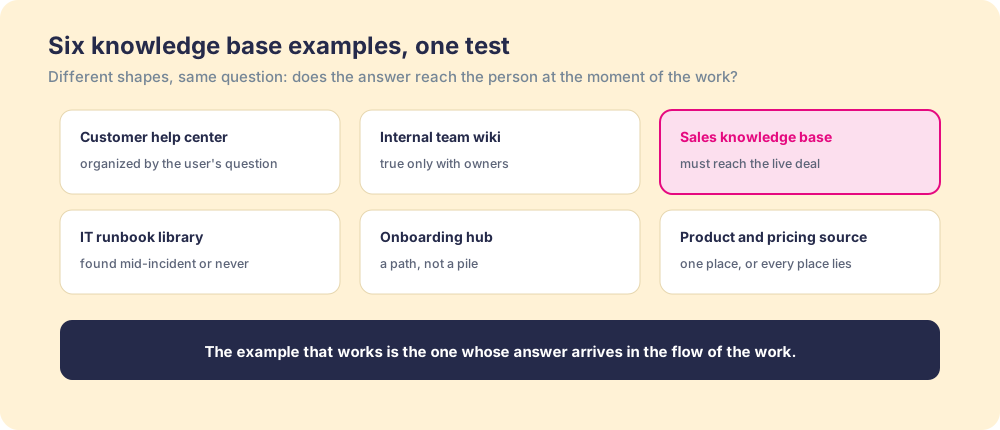
Put the six principles side by side and not one of them is about visual design. They are about ownership, timing, intent, and delivery, the things a screenshot cannot show you and a knowledge base template cannot hand you.
The same holds across every shape on the list. A help center and an onboarding hub look nothing alike, yet the version of each that works shares those habits, and the version that fails shares the same two gaps: no owner keeping it true, and no path from the page to the moment of use. Read examples for those habits instead of their headers, and a gallery stops being a mood board and starts being a checklist you can hold your own base against.
What are real-world knowledge base examples worth studying?
Names help, so here are three public bases worth opening in another tab, each chosen because it makes one of those habits impossible to miss.
Start with Stripe’s documentation. Developers reach for it the way a carpenter reaches for a familiar tool, and the reason is structure: it is organized around the task you are trying to finish, accepting a payment or handling a webhook, not around Stripe’s internal teams. You arrive with a job and the base is already shaped like your job. That is intent-first structure made concrete, and it is why Stripe’s docs get held up as the field’s benchmark far more often than help centers with prettier styling.
Then look at the GitLab Handbook, one of the largest company handbooks openly published on the internet, thousands of pages deep. The interesting part is not the size, because a big wiki usually means a stale one. GitLab keeps it true by giving every page a directly responsible individual, a named owner accountable for that page being current. Ownership here is not a courtesy bolted on at the end; it is the maintenance discipline that decides whether people trust what they find, and the Handbook is the clearest working proof of it at scale.
Third, open a mature customer help center like HubSpot’s Knowledge Base. The lesson there is delivery. The strongest help centers do not wait on a separate site to be searched. The answer surfaces next to the product, at the point the user is stuck, so the base reaches the reader in the flow of the work rather than a tab away. It repeats the split we drew between the two support teams above: one deflects the ticket, the other collects dust, and the difference was never the design.
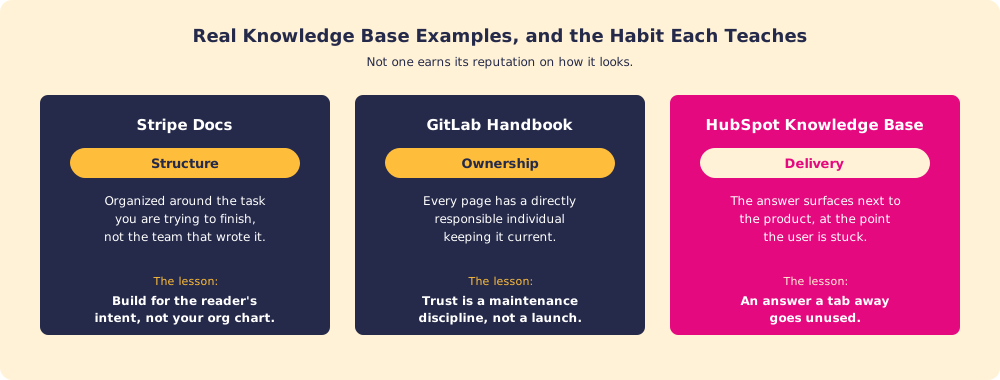
Across all three, not one is famous for how it looks. Stripe earns its reputation on structure, GitLab on ownership, the best help centers on delivery, and each is the same lesson the six shapes above kept pointing at. The screenshot would have shown you none of it.
If you want a longer reading list, these public bases each make one more habit easy to see:
| Knowledge base | What to study | The habit it teaches |
|---|---|---|
| Slack Help Center | The “who can use this feature” note on its articles, listing the roles and plans an answer applies to | Name who each answer serves, so readers do not apply it to the wrong case |
| Shopify Help Center | Navigation built around what a merchant is trying to get done | Categories named for the reader’s job |
| Atlassian Support | Documentation split by Cloud and Data Center versions of each product | Applies-when scoping at the top of the tree |
| 37signals Employee Handbook | A public internal handbook covering policies, benefits, and how the company works | An internal knowledge base written in plain language, short enough to read |
What does a good knowledge base article look like?
A good knowledge base article answers one question, puts the answer in the first two lines, says when it applies, and carries an owner and a review date. Filled-in articles teach faster than descriptions, so here are three illustrative knowledge base article examples, one each from sales, IT, and HR. They share one shape, the KCS structure of issue, environment, resolution, and cause, with the answer pulled to the top because readers get through at most 28 percent of a web page’s words and usually closer to 20 (Nielsen Norman Group). The blank version of this shape is in our knowledge base template.
Example 1: a sales knowledge base article
- Title. What do I send a buyer after the first discovery call?
- Short answer. A recap email within one business day: their problem in their words, the agreed next step with a date, and the one asset that matches what they asked about.
- Applies when. New-business deals in the discovery stage. Does not apply to renewals, which follow the renewal play.
- Steps. Paste the recap template, replace the bracketed lines with the buyer’s own phrases from your notes, attach the matching case study, and set the next-step date in the CRM.
- Owner and review. Sales enablement lead, reviewed every 90 days or when the discovery stage changes.
- Shows up when. A rep logs a discovery call in the CRM.
Example 2: an IT knowledge base article
- Issue. “I can’t connect to the VPN from my laptop after the password change.”
- Environment. Company laptops, remote access, any office.
- Resolution. Sign out of the VPN client, sign back in with the new password, and approve the multi-factor prompt on your phone. If it still fails, restart the client before filing a ticket.
- Cause. The client caches the old password until a fresh sign-in replaces it.
- Owner and review. IT service desk lead, reviewed whenever the VPN client updates.
- Shows up when. Someone opens a help-desk ticket with “VPN” in the subject line.
Example 3: an HR policy knowledge base article
- Title. How much unused time off carries into next year?
- Short answer. Up to five days roll over, and they expire if unused by the end of March.
- Applies when. Full-time employees in the US. Contractors and other countries follow their own policy pages, linked below.
- Example. Twelve days unused in December means five roll over and seven are forfeited.
- Owner and review. People operations manager, reviewed each January when the policy renews.
- Shows up when. An employee opens the time-off request form in the last six weeks of the year.
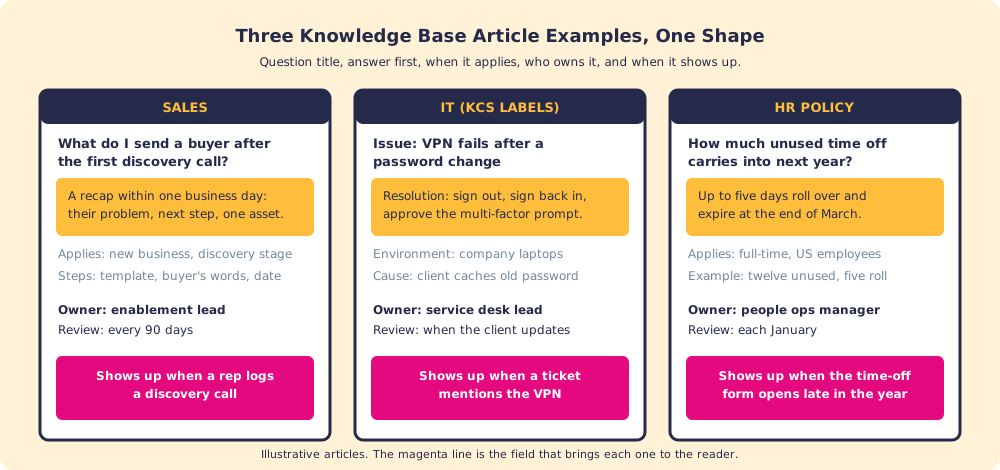
The last line of each example decides more than the rest. A sales article that appears when the rep logs the call gets read during the one window when it can change the email. The same article filed under “Sales > Post-call” gets read by whoever remembers it exists.
How do you copy information from a knowledge base without spreading errors?
Link to the source instead of pasting it, and when you must paste, check the owner and last-reviewed date first and record where the text came from. A copied answer becomes a second version the owner cannot see, and the day the policy changes, the copy keeps saying the old thing.
When the destination needs the text itself, a CRM field, a proposal, a support macro, four checks keep the copy accurate and relevant:
- The source of truth. Copy from the owned article, not from a slide or an old email that quoted it.
- The review date. If the article is past its review-by date, ask the owner before you copy.
- The applies-when line. Copy only the part that fits this case, and leave the exceptions attached if they matter.
- The trail back. Note the source link and the date you copied it, so the next person can check whether it has changed.
The KCS method calls the habit behind this flag it or fix it: if something you find looks wrong, you either correct it, when you have the authority, or flag it for the owner (KCS v6, Flag It or Fix It). Copying without that check is how one stale answer becomes six.
Why don’t most knowledge base examples transfer?
Because you can copy the structure and still miss the engine. The categories, the tags, the clean homepage: those are the visible half, and the half that does not determine success. What made the original get used was an owner keeping each answer true and a delivery path putting it in front of people while they worked. Neither travels in a screenshot, so the team that copies the look inherits the frame and none of the function.
It is the difference between owning a recipe and owning a kitchen that runs. The card copies in a second; the line cooks, the timing, and the standards held every service do not. A team that studies examples for their structure is reading the recipe and skipping the kitchen.
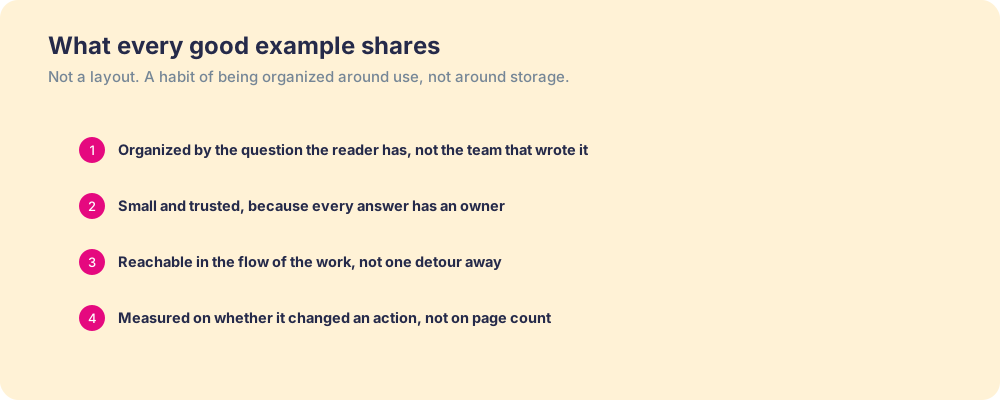
The same lesson sits behind capturing tribal knowledge and behind every effort at knowledge sharing that went nowhere. The artifact is easy to admire and easy to copy. The behavior around it, the upkeep and the delivery, is the part that was doing the work, and it is the part a gallery of examples leaves out.
The proof is in use, and use is measurable. Our State of Sales Enablement found teams whose guidance lives in the flow of the work hit quota at 49 percent against 15 percent for teams whose knowledge sits in a separate destination (The State of Sales Enablement). Two teams could own knowledge bases that photograph identically and land on opposite sides of that gap, because the difference was never the layout. It was whether the answer arrived where the work was.
What we recommend
Open the seven public bases named on this page in tabs, and read each one for a single habit rather than its look: Stripe for structure, GitLab for ownership, HubSpot for delivery, Slack for applies-when scoping. Then hold your own base against the three article examples above and check one line on each of your articles, the last one. If it has no owner and no moment when it shows up, the article is a photograph of an answer, however good it looks.
We would start there because the evidence points at use, not layout. Teams lose a fifth of the week to searching no matter how tidy the base appears, and guidance delivered in the flow lands at 49 percent quota attainment against 15 percent for knowledge parked in a separate place. Neither number cares about the color of the header.
For the blank version of the article shape, take our knowledge base template. For building the whole base step by step, read how to build an internal knowledge base. For the sales-specific version that has to reach a rep mid-deal, see the sales knowledge base, and for the expertise worth capturing first, tribal knowledge.
Frequently asked questions
What are good knowledge base examples?+
What should a knowledge base look like?+
Why don't knowledge base examples transfer to my team?+
What is the difference between a knowledge base template and a knowledge base example?+
What is an example of a good knowledge base article?+
You are copying information from a knowledge base into a system. What approach best ensures accuracy and relevance?+
How many articles should a knowledge base have?+
Your process, running itself.