Knowledge Base Template: The Article, the Map, and the Tracker
Three knowledge base templates you can copy today, an article skeleton, a category map, and a review tracker, plus the two fields most templates leave out: an owner and a trigger.
A knowledge base template is a ready-made structure, the categories, article skeleton, and tracking fields, that you fill in to build a knowledge base faster, and it is worth using as a starting point even though structure is the easy part.
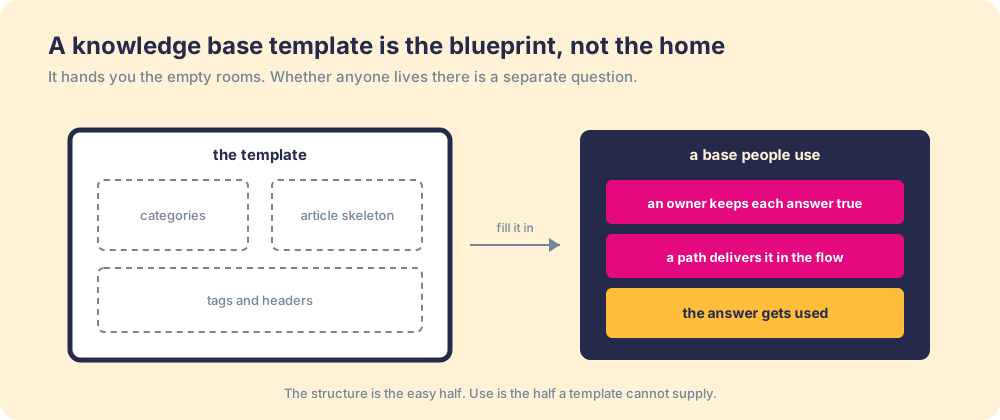
A blueprint and a home are not the same thing, though one becomes the other. The blueprint shows where the walls go and which way the doors swing. No builder frames a house without one. But a blueprint is empty by design, and you can hold a perfect set of plans and still have nowhere to sleep. Somebody has to build it, keep the roof from leaking, and live there.
A knowledge base template is the blueprint. It is real help, and it is the easy part. So this page gives you the blueprint in full, three templates you can copy today: an article skeleton, a category map, and a review tracker. Then it adds the two fields most templates leave off, an owner and a trigger, because those are the plumbing that decides whether anyone moves in.
What is a knowledge base template?
A knowledge base template is a ready-made structure, the categories, article skeleton, and tracking fields, that you fill in to build a knowledge base faster, and it is worth using as a starting point even though structure is the easy part. Starting from an organized shell beats starting from a blank page, the same way framing a wall goes faster when the studs are already marked.
Deciding where things go was never the hard problem. Any wiki, help-center tool, or shared drive will hold your answers and let you search them. What a template can do, and what the free ones floating around mostly skip, is bake the hard parts into the fields so you cannot fill it in without answering them. Who keeps this article true? When should it show up? A template that asks those questions on every article does more than arrange the drawer.
What does a knowledge base article template look like?
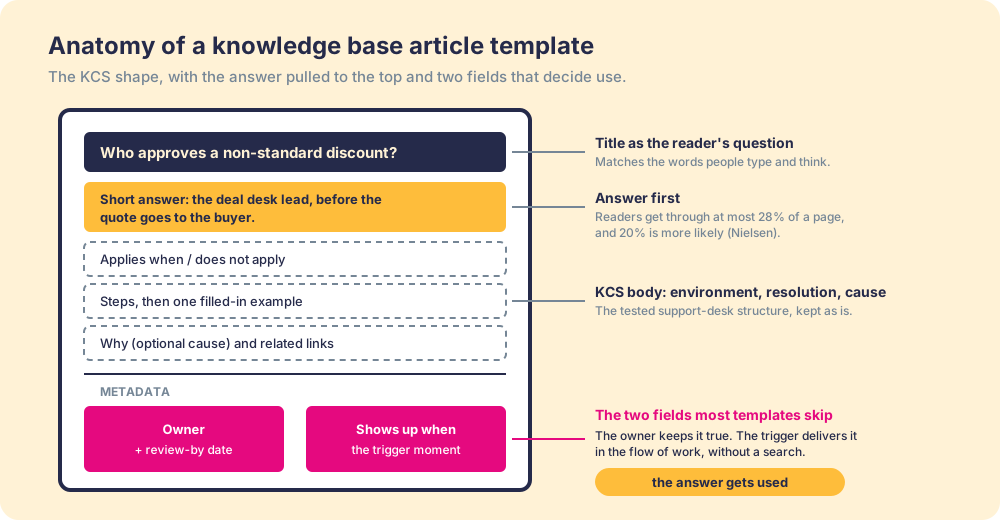
Start from the oldest tested standard rather than a blank doc. The KCS method, maintained by the Consortium for Service Innovation and refined on support desks since the 1990s, prescribes a simple article shape: the issue in the requester’s words, the environment it applies to, the resolution, an optional cause, and metadata such as audience, governance, and the date last modified. Its own guide gives the reason in one line: “The most important benefit of this simple structure is it improves readability and usability” (KCS v6 Practices Guide, Use a Simple Template).
We keep that skeleton and change two things. The answer moves to the top, because people do not read articles, they scan them: Jakob Nielsen’s analysis of web reading found that on an average page, users have time to read at most 28 percent of the words, and 20 percent is more likely (Nielsen Norman Group, How Little Do Users Read?). And the metadata grows two fields that decide use. Copy this:
Title:            [The question, in the words the reader would type or say]
Short answer:     [One or two sentences that settle it. No preamble.]
Applies when:     [Segment, product, deal stage, region, plan]
Does not apply:   [The common exception, so readers do not misapply it]
Steps:            1. ...  2. ...  3. ...
Example:          [One real case, filled in, with the numbers]
Why:              [Optional. The policy or root cause behind the answer]
Related:          [Two or three links, no more]
Owner:            [Name and role of the person who keeps this true]
Last reviewed:    [Date]
Review by:        [Date, 90 days after the last review]
Shows up when:    [The moment this should surface: the page, deal stage, field, or ticket type]
Each field does a job, and the job is worth knowing so you can bend the template without breaking it:
- The question title. Titles written the way the reader asks (“Who approves a non-standard discount?”) beat titles written the way the policy team files them (“Discount Governance Overview”), because search matches the words people type and scanners match the words they think.
- The short answer. One or two sentences that settle the question for the reader who will read 20 percent of the page. Everything below it is for the reader who needs the detail.
- The applies-when and does-not-apply lines. The KCS environment field, split in two. Most wrong answers in a knowledge base are right answers applied to the wrong case, and the exception line prevents that.
- The owner and the review-by date. A named person and a deadline. An article with no owner goes unchecked, and a review date with no deadline is a good intention.
- The trigger field. Where and when the answer should appear without being searched for. This field is the one almost no template carries, and it turns the article from something to visit into something that arrives.
For a support or IT article, keep the KCS labels exactly (issue, environment, resolution, cause), since agents who have worked a KCS desk will read them on sight. For sales and internal policy articles, the question-and-answer labels above read faster. Pick one shape per base and hold it, because consistency is what lets a scanner find the answer in the same place on article forty as on article one. To see this skeleton filled in for a sales answer, an IT fix, and an HR policy, read our knowledge base examples.
How should you structure a knowledge base? A category template
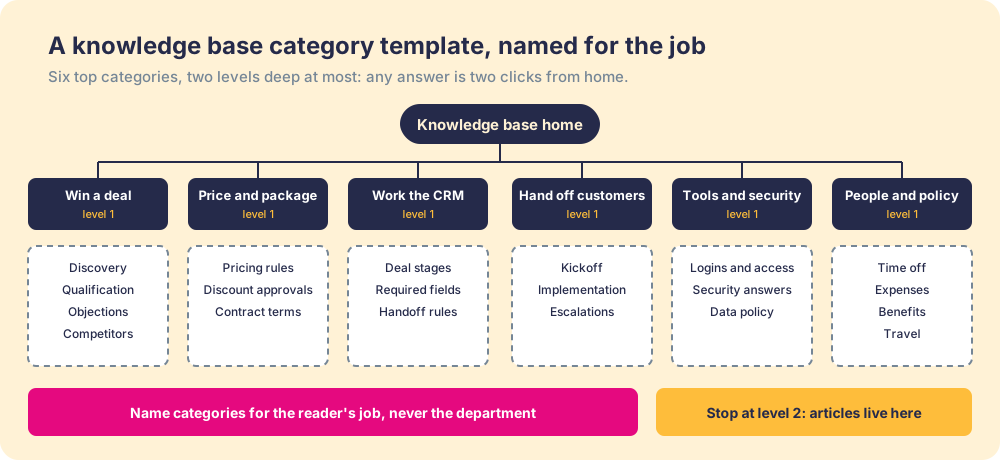
Group by the job the reader is doing, not by the department that wrote the content. A rep looking for the discount rule does not think “Finance, then Policies, then Commercial Terms.” They think “I am pricing a deal.” The category map should follow that thought.
Two rules keep the map usable. Five to nine top categories, so the home page reads at a glance. And no more than two levels deep, so any article is two clicks from the top, because each extra click is one more chance for a person under deadline to give up and ask a colleague instead. Here is a starter map for a mid-market revenue team, ready to rename:
| Top category (the job) | What goes in it | Example article titles |
|---|---|---|
| Win a deal | Discovery, qualification, objections, competitors | ”How do I answer ‘we built this in-house’?” |
| Price and package | Pricing rules, discount approvals, contract terms | ”Who approves a non-standard discount?” |
| Work the CRM | Stages, required fields, handoff rules | ”What has to be true before a deal moves to Proposal?” |
| Hand off and support customers | Kickoff, implementation, escalation paths | ”What does the customer success team need at close?” |
| Tools, access, and security | Logins, security questionnaire answers, data policy | ”Where is the current security one-pager?” |
| People and policy | Time off, expenses, benefits, travel | ”How do I submit an expense from a client dinner?” |
Is there a knowledge base template in a spreadsheet?
Yes, and it is the template teams forget to build. The articles live in your knowledge base tool. The tracker lives beside them, in Excel or Google Sheets, one row per article, and it is how you keep the base true after launch week. Copy these columns:
| Question | Link | Owner | Audience | Shows up when | Last reviewed | Review by | Status | Open flags |
|---|---|---|---|---|---|---|---|---|
| Who approves a non-standard discount? | (article URL) | Deal desk lead | AEs, managers | Quote created above list discount | 2026-09-15 | 2026-12-14 | Current | 0 |
Sort by “Review by” and the articles about to go stale rise to the top before anyone trips over one. The “Open flags” column borrows another KCS practice, flag it or fix it: anyone who sees something wrong either corrects it, if they have the authority, or flags it for the owner (KCS v6, Flag It or Fix It). A rising flag count on one owner is your earliest warning that a corner of the base is rotting. The “Shows up when” column is the delivery plan, written down. If a row has nothing there, that article is waiting to be searched, and you should expect it to be used the way searched-for things are used, occasionally.
What can a knowledge base template not give you?
Two things, and they decide everything: a person who keeps each answer true, and a delivery path that puts the answer in front of people while they work. The fields above can ask for both. They cannot supply them. You can draw the kitchen, but you cannot draw the cook.
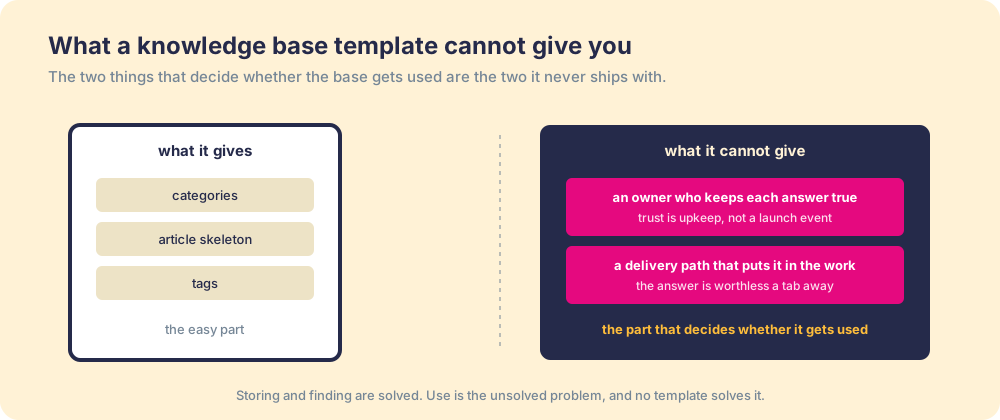
The cost of skipping those two shows up in hours. The McKinsey Global Institute estimated employees spend close to a fifth of the workweek searching for and gathering information (McKinsey Global Institute). Panopto’s workplace study put the figure at roughly 5.3 hours a week chasing knowledge a colleague already held (Panopto, Valuing Workplace Knowledge). A spotless template does nothing to those numbers. The hours leak through staleness and through distance, not through bad folders.
Think of two reference books on the same shelf. One has a librarian who checks every fact and reshelves it where readers look. The other was printed once and left to yellow. From across the room they are the same height and the same color. Open them, and only one can be trusted, because trust in a reference comes from upkeep, never from the binding.
Why does a structured internal knowledge base still go unused?
Because non-use is a system failure, not a people failure. When reps stop opening the base, the easy story says they are lazy. The truer story says the system made the right action cost too much. An answer one tab away loses to a guess that is right here. An answer that might be six months stale loses to asking a colleague. People read the friction correctly and act on it.
So the fix is never a lecture. Remove the two frictions the template could only ask about. Put a real owner on each answer, so what people find is current. Then close the distance, so the answer arrives in the flow of the work instead of waiting on a separate site. A recipe card copies in a second; the cook who holds the timing every service does not, and the meal depends on the cook.
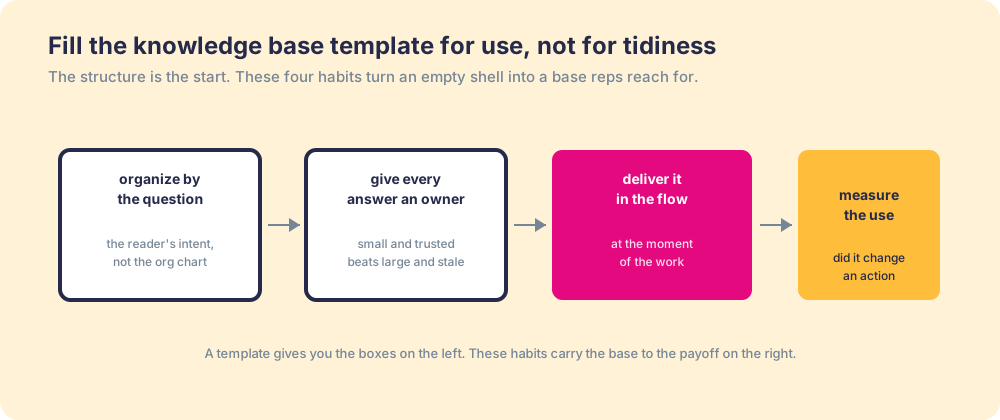
Delivery is the lever, and the use data shows it. Our State of Sales Enablement found teams whose guidance reaches people in the flow of the work hit quota at 49 percent, against 15 percent for teams whose knowledge sits in a separate destination to go find (The State of Sales Enablement). Same answers, same effort to write them. The gap is where the answer showed up.
What we recommend
Copy all three templates, today, and fill them in this order. Start the tracker first, not the articles: list the twenty questions your team asks each other most often in Slack and email, because those are the articles with proven demand. Give each row an owner before anyone writes a word, since an article written without an owner starts aging the day it ships. Then write each one in the article skeleton, answer first, and file it in the category map.
Then fill in the column almost every template leaves blank. For each row, write down the exact moment someone needs that answer, the deal stage, the page, the ticket type, and wire the answer to that moment instead of waiting for a search. A base built that way is small, current, and present at the point of use, which is what the McKinsey hours and the 49-versus-15 gap both point toward.
For the step-by-step build around these templates, read how to build an internal knowledge base. For the habits that keep it current after launch, see knowledge base best practices. And when you are choosing where the base should live, the best knowledge base software, compared by job maps the options.
Frequently asked questions
What is a knowledge base template?+
What should a knowledge base article template include?+
Is there a knowledge base template in Excel or Google Sheets?+
How do you structure a knowledge base with categories?+
Does a knowledge base template guarantee people will use the base?+
What is the difference between a knowledge base template and a knowledge base example?+
Your process, running itself.