In-App Guidance: Signage for Software, and Its One Blind Spot
Nobody studies an airport; everyone follows it. In-app guidance brings that signage logic to internal software, the science says it works, and it has one blind spot a services team cannot afford.
In-app guidance is help delivered inside the software at the moment of use, tooltips, walkthroughs, and prompts at the decision point, replacing the training-and-memory model with in-app help that arrives where the work happens.
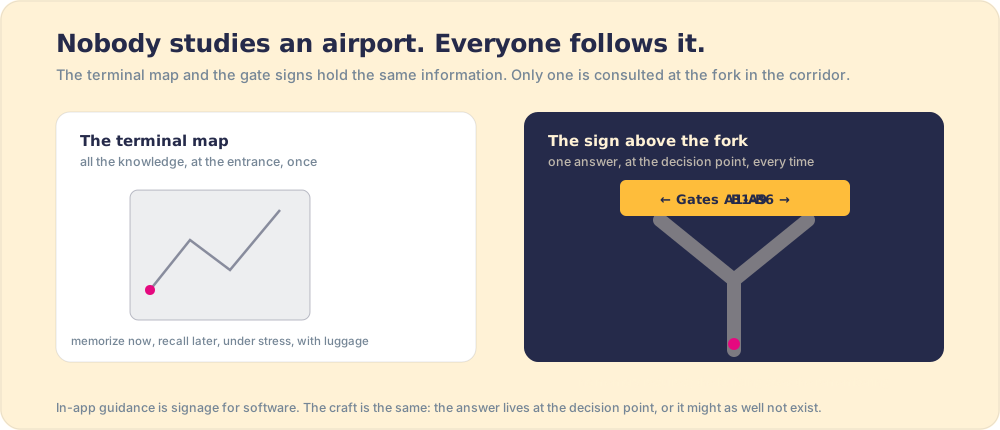
Forty million people a year navigate Heathrow, one of the most complicated buildings on earth, and almost none of them have studied it. There is no Heathrow onboarding, no certification, no lunch-and-learn about Terminal 5. There is signage: at every fork in every corridor, a sign answers exactly the question a traveler has at that spot, gates left, baggage right, and the building’s complexity becomes walkable by tired strangers with children and luggage. Nobody studies an airport; everybody follows it, sign by sign. That is in-app help in its purest form: the answer waiting where the question occurs.
In-app guidance is that signage logic applied to software: help delivered at the decision point, inside the tool, at the moment of use, instead of knowledge issued in advance and stored in memory. It is the correct logic, the research behind it is some of the strongest in process science, and it has one blind spot that matters enormously to internal teams running the same process account by account, which is where this piece is headed. Picture a services firm bringing a big new client live: the same onboarding playbook has to run the same way on every account, because consistency is the first impression and a missed step is a churn risk. Signage first.
Why does guidance at the decision point beat training?
Because the alternative depends on human memory performing under pressure, and memory under pressure is a documented disappointment. The training-then-recall model asks a person to absorb knowledge in one context (the classroom, the LMS, the onboarding week) and produce it later in another (the live tool, the busy Tuesday), and the decay between those two moments is steep and well measured; it is the reason classroom-heavy enablement moves behavior so little. The signage model removes memory from the chain entirely. The answer waits at the fork.
The behavioral science is specific about why this works. Gollwitzer and Sheeran’s meta-analysis of 94 studies found that binding an action to a concrete situational cue (“when X arises, do Y”) lifts follow-through with a medium-to-large effect, d = 0.65, over intention alone (Gollwitzer & Sheeran, 2006); a tooltip at the decision point is that cue, manufactured. And the most famous field result in all of process work runs on the same mechanism: Pronovost’s five-item checklist, placed at the bedside rather than in the manual, took median ICU line infections from 2.7 per 1,000 catheter-days to zero in three months (NEJM, 2006). The knowledge was old. The placement was the intervention.
There is a deeper reason the signage wins, and it comes from cognitive load. John Sweller’s cognitive load theory holds that working memory is small and easily swamped, and that performance collapses when a person has to hold too many things in mind at once (Sweller, cognitive load theory). A team member running a live client handoff is already near the ceiling: tracking the client’s requirements, managing competing accounts, planning the next deliverable. Ask them to also recall a seven-step onboarding procedure from a training three months ago, and you have asked working memory to do something it cannot reliably do under load. The map at the entrance demands exactly that recall. The sign at the fork removes it. In-app help works not because it teaches better but because it asks the brain to remember nothing, and remembering nothing is the only thing the brain can do flawlessly under pressure.
Our own field data says the mechanism transfers to teams running a process intact: across 198 organizations, process guidance reaching people in the flow of work correlated with a 49 percent payoff versus 15 percent when the process lived in docs, wikis, and training decks (The State of Sales Enablement). Signage beats the map at the entrance, in software as in terminals.
Where does in-app guidance live today?
- Native platform features. The big platforms ship their own signage: salesforce in app guidance gives admins floating prompts and walkthroughs inside Salesforce, and HubSpot has its equivalents. Right answer for navigation-level help, included in the price.
- Digital adoption platforms. WalkMe (SAP-owned since 2024) and Whatfix overlay guidance across an entire enterprise stack; Pendo, Appcues, and Userguiding do it inside your own product for your customers. The field is mapped honestly in best digital adoption platforms.
- Process-specific layers. Spekit surfaces knowledge and enablement content in-app; Supered surfaces the process itself, the step that applies to this account at this stage, inside the tools your team already uses. Different payloads riding the same signage logic, and the difference is the subject of the next section.
The split that matters most in this market is not the vendor list; it is the audience and the metric. A DAP pointed at your own employees, helping them work the internal stack, optimizes for usage: did people complete the flow, did tickets drop. A DAP pointed at your customers, inside your own product, optimizes for activation and retention (the user-onboarding lane Appcues and Userpilot own). Both are real jobs, and both are well served by the in-app help model. A services or operations team running the same playbook on every account has a third job, and it is the one the category serves worst, because it is not a usage question at all. It is a behavior question: not “can the team use the tool” but “did the team run the standard.” A services firm bringing a client live is the sharpest case; a sales team running discovery the same way on every account is another. That is why the next section matters more than the buying grid. The grid sorts by features. The outcome sorts by whether the thing the guidance serves got done.
What is the blind spot?
Signage has a limit the airport never has to confront: Heathrow does not care which gate you choose. The sign serves your goal, and once you can navigate, the building’s job is done. An internal team’s guidance serves the company’s goal, a specific process the organization needs followed, and that changes what success means. A team member who can move through the tool beautifully and skips a required onboarding step anyway is a traveler who read every sign and boarded the wrong plane on purpose, and no amount of better signage addresses it, because the gap was never navigational.
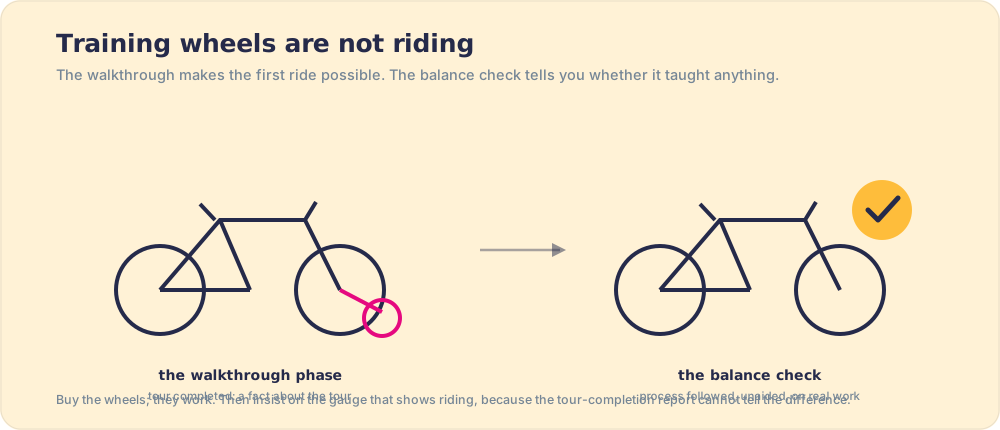
This is the blind spot of guidance-only tooling: it can put the right answer at the fork, and it cannot tell you what happened at the fork. Tour-completion metrics describe the signage, not the journey. The fix is not more guidance; it is pairing the signage with sight, adherence to the process visible in the flow of work, at the level of the individual step, while a manager can still coach the account rather than autopsy it.
That pairing, cue plus verification, is exactly what the Pronovost work ran, and it is the part most retellings of the story skip. The famous result was not the checklist alone. The five-item card cut line infections only because it shipped with a second mechanism: a nurse standing beside the doctor, empowered to halt the procedure if a step was skipped. The card was the cue; the nurse was the check. Remove the nurse and you have a card on a wall, which is to say signage with nothing inspecting it. The intervention that took infections to zero was both halves working together, and a team that buys only the guidance half has bought half of a proven intervention and should not be surprised when it performs like half.
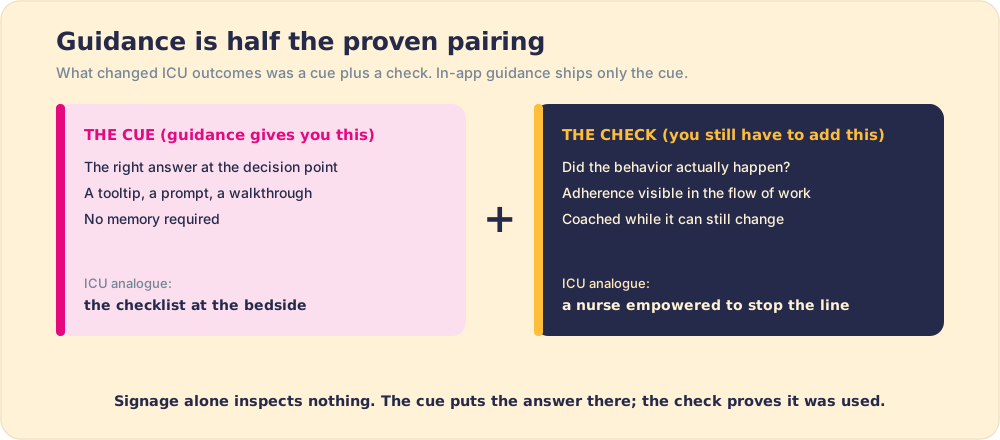
This is the architecture we built Supered around: the guidance and the measurement as one layer inside the tools your team already uses, described plainly in how it works. You can only expect what you inspect; signage alone inspects nothing.
The recommendation
Adopt the signage logic everywhere; it is free of downside. Use the native platform guidance for navigation help, point the walkthrough tools at onboarding moments, and write the underlying procedures so each one sits at its decision point, the discipline covered in how to write an SOP. Then, for the process your business depends on, refuse to stop at signage. Demand the second half of the evidence-backed pairing: adherence visible in the flow of work, step by step, while coaching can still change the outcome. The airport only needs you to find the gate. A services team bringing a client live needs the right plane boarded on every account, every time, and knowing whether it was is a different instrument than the sign. The full category context lives in the digital adoption platform guide.
Frequently asked questions
What is in-app guidance?+
What is Salesforce in-app guidance?+
Does in-app guidance improve adoption?+
What is the difference between in-app guidance and a digital adoption platform?+
What should in-app guidance measure?+
Your process, running itself.